
Complete Guide to AI Automation Workflows
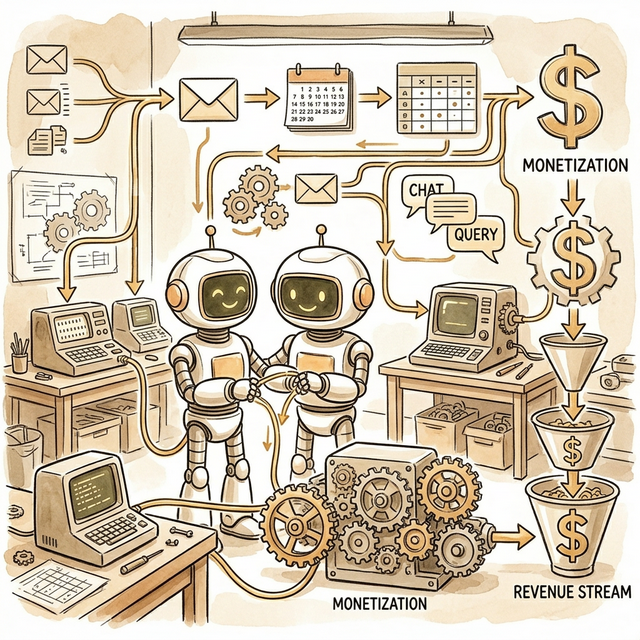
Complete Guide to AI Automation Workflows
Why AI automation is one of the most undervalued opportunities in 2026
A real scenario:
Sarah is an operations manager at an e‑commerce company. She spends 3 hours a day handling orders: export from Shopify → categorize → send to warehouse → update inventory sheet → send confirmation emails.
You spend 2 hours building a Make.com workflow. Now everything runs automatically, and Sarah saves 3 hours daily.
What will she pay?
- Setup: $2,000–$5,000
- Monthly maintenance: $200–$500
- Annual total: $4,400–$11,000
Your time cost: 8–16 hours to build, then 2–4 hours/month to maintain.
That’s the leverage of AI automation: high‑value business results with low ongoing effort.
Part 1: Market opportunity
Who needs automation workflows?
| Industry | Pain points | Willingness to pay | Typical clients |
|---|---|---|---|
| E‑commerce | Orders, inventory sync, support | ⭐⭐⭐⭐⭐ | Shopify stores |
| SaaS | Onboarding, data sync, reports | ⭐⭐⭐⭐⭐ | Startups |
| Services | CRM updates, contracts, invoices | ⭐⭐⭐⭐ | Agencies |
| Real estate | Lead follow‑up, docs, scheduling | ⭐⭐⭐⭐ | Brokers |
| Healthcare | reminders, records, reports | ⭐⭐⭐⭐ | Clinics |
| Education | student mgmt, scheduling, grading | ⭐⭐⭐ | Training schools |
Why businesses pay for automation
Option A: hire staff
- Monthly cost: $3,000–$5,000
- Annual: $36,000–$60,000
- Errors: 5–10%
- Coverage: 8 hrs/day

Option B: your automation
- Setup: $3,000–$8,000
- Monthly: $300–$800
- Annual: $6,600–$17,600
- Errors: near‑zero
- Coverage: 24/7

Savings: $18,400–$53,400/year
ROI is obvious. Decision makers just need to see the numbers.
Part 2: Tool stack selection
No‑code platforms compared
| Platform | Monthly | Learning curve | Best for | Strength |
|---|---|---|---|---|
| Make.com | $9–$16 | Medium | complex flows | strongest visual builder |
| Zapier | $19–$69 | Easy | simple connections | largest integrations |
| n8n | Free/self‑host | Higher | technical users | open‑source control |
| Power Automate | $15 | Medium | MS ecosystem | Office integration |
Recommended:
- Beginners: Make.com
- Simple tasks: Zapier
- Technical users: n8n
- Enterprise Microsoft: Power Automate
AI integrations you should know
AI for processing
- ChatGPT API: classification, summaries
- Claude: long docs and reasoning
- Document AI: invoices and PDFs
AI for generation
- OpenAI: emails, reports
- Midjourney: marketing assets
- ElevenLabs: voice
AI for decisions
- GPT‑4 for routing and rules
Data enrichment
- Clearbit, Hunter, CRM APIs
Part 3: Learning path (0 → 1)
Weeks 1–2: Foundations
Make.com checklist
- Create account and complete tutorials
- Understand Scenarios, Modules, Connections
- Learn data mapping and transformations
- Use Router/Filter/Switch
- Handle errors correctly
Starter projects
- Auto email classification (Gmail + ChatGPT)
- Social posting pipeline (Sheets → AI copy → social)
Weeks 3–4: Advanced skills
- Data stores and variables
- Webhooks and custom APIs
- HTTP module mastery
- File generation (PDF, images)
- Advanced scheduling
Advanced project Sales lead follow‑up automation:
- Validate email (Hunter)
- Enrich company data (Clearbit)
- AI score leads
- Create CRM record
- Notify sales via Slack
Weeks 5–6: Go‑to‑market
- Requirements discovery
- Pricing and proposals
- Contracts + SLA
- Maintenance plans
- Portfolio building
Part 4: Pricing strategy
Pricing models
| Model | Best for | Pros | Cons |
|---|---|---|---|
| Project only | One‑time builds | fast cash | no recurring |
| Subscription | Ongoing support | stable | retention risk |
| Hybrid | Build + maintenance | best balance | more complex |
| Outcome based | ROI projects | value‑aligned | hard to measure |
Recommended: Hybrid
Project fee = estimated hours × hourly rate × complexity factor

Beginner rate: $50–$100/hr
Intermediate: $100–$200/hr
Expert: $200–$500/hr
Typical ranges
| Complexity | Setup | Monthly |
|---|---|---|
| Simple | $500–$1,500 | $100–$300 |
| Medium | $2,000–$5,000 | $300–$800 |
| Complex | $6,000–$15,000 | $800–$2,000 |
Part 5: Client acquisition
Fast paths to clients
- Upwork/Fiverr: take 2–3 small projects to build reviews
- Local businesses: pick a niche and offer a demo
- Partnerships: agencies need automation add‑ons
- Content: “before/after” automation case studies
Outreach email (template)
Subject: Automating [Process] to save [Company] 15+ hours/week

Hi [Name],

I noticed your team handles [process] manually. I build AI automations that:
- remove repetitive work
- reduce errors
- run 24/7

I can show a quick demo using your workflow. Interested?

Best,
[Your Name]
Part 6: Delivery workflow
- Discovery: map current workflow + bottlenecks
- Design: draw a flowchart + AI touchpoints
- Build: implement in Make/Zapier/n8n
- Test: edge cases + retries + logs
- Launch: monitor for 7–14 days
- Maintain: monthly tuning + updates
Part 7: Case studies (summary)
- E‑commerce ops: automated order → warehouse → email; saved 3 hours/day; $3,500 setup + $300/mo
- SaaS onboarding: automated CRM + email + analytics; reduced churn 12%; $6,000 setup + $600/mo
- Agency reporting: auto dashboard + PDF reports; saved 20 hours/month; $2,500 setup + $250/mo
Part 8: 90‑day plan
Month 1: learn tools + build 2 demos Month 2: land 1–2 paying clients Month 3: standardize workflows + raise rates
Goal: $5,000+/month by month 3–4 with 2–4 active clients.
Resources
- Make.com docs
- Zapier University
- n8n community
- OpenAI API docs
- Clearbit/Hunter APIs
Last updated: Feb 2026